If using the Sunsynk inverter as an AC coupled battery charger, you may wish to use an Eastron Meter to record PV data from the string inverter for additional monitoring.
If the Sunsynk inverter is 10+ meters away from the incoming supply, an Eastron Meter needs to be used in place of the supplied CTs for GRID side AC readings.
If you are planning on reading string inverter data as well as it being necessary to use an Eastron meter for GRID side readings, it is possible to use 2 meters connected to the single meter port on the inverter.
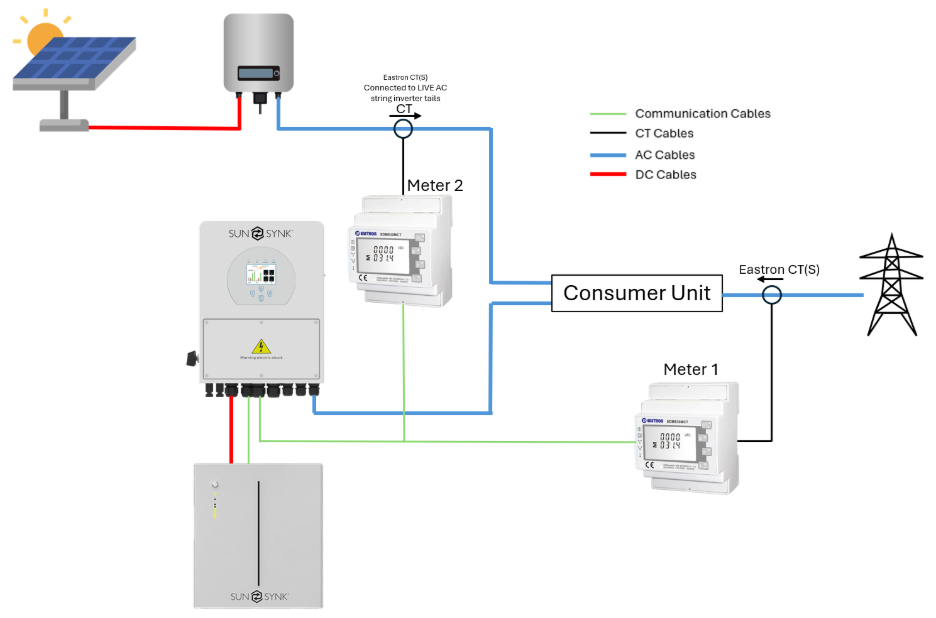
To do this several requirements must be met:
Both meters must be the same make and model. We recommend the Eastron SDM630CT, this is because the device allows the settings changes needed without the need for contacting Eastron for additional equipment and software to change the device settings. (Please note this is marketed as a three-phase meter however it can be connected for single phase setups also.)
The inverter must be updated to a specialised software version for this compatibility. Please contact Sunsynk Support for this update specifying that the software needs to allow Grid Meter 2 to be enabled.
The connection to the meter port at the inverter should be as follows:
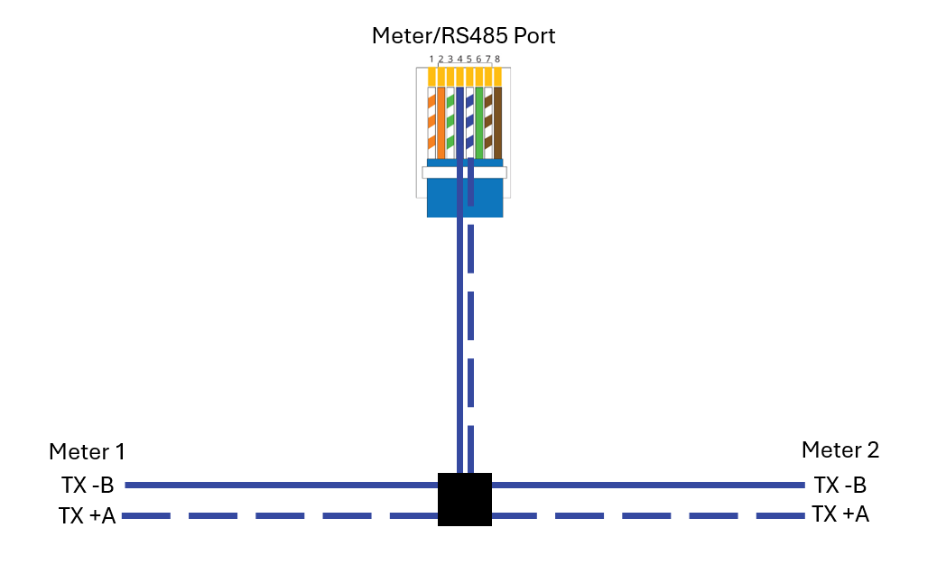
Meter 1 (to read the GRID)
This meter should have the following settings:
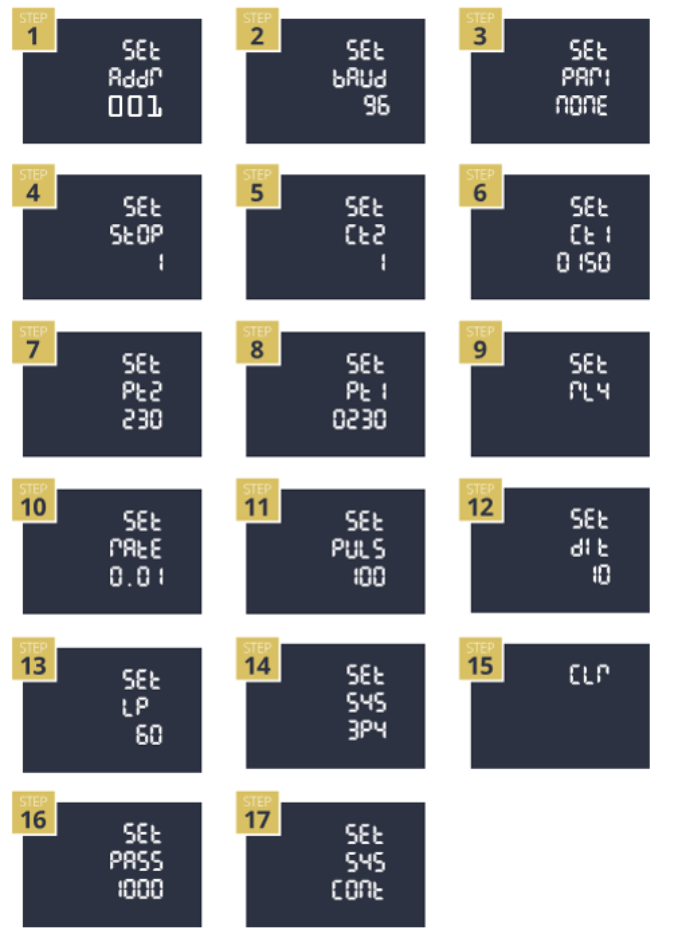
MODBUS ADDRESS MUST BE SET TO 1
Meter 2 (to read the PV)
This meter should have the following settings:
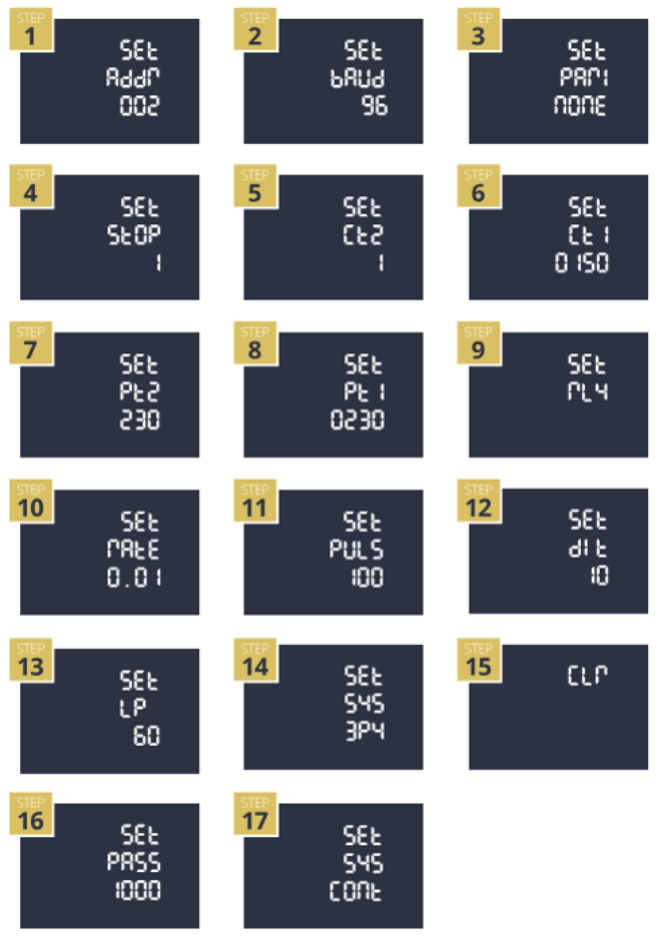
MODBUS ADDRESS MUST BE SET TO 2
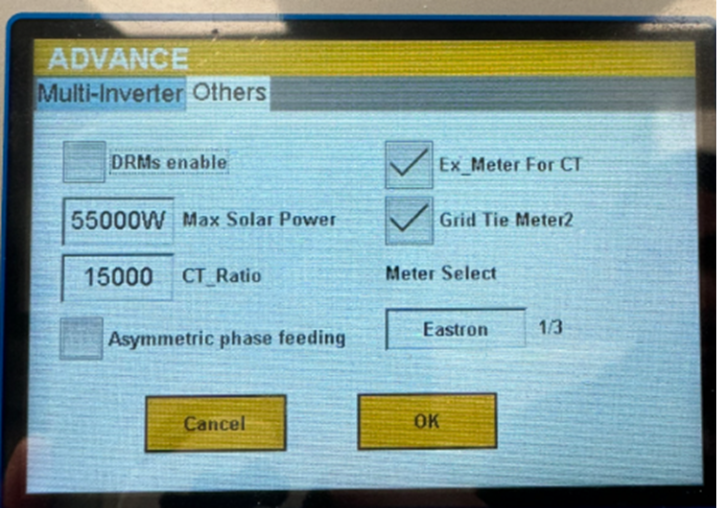
Once both meters are connected, Ex_Meter for CT and Grid Tie Meter 2 must be enabled in the inverter settings, and the meter type must be set to Eastron.
Settings -> Advanced -> Other
Was this article helpful?
That’s Great!
Thank you for your feedback
Sorry! We couldn't be helpful
Thank you for your feedback
Feedback sent
We appreciate your effort and will try to fix the article