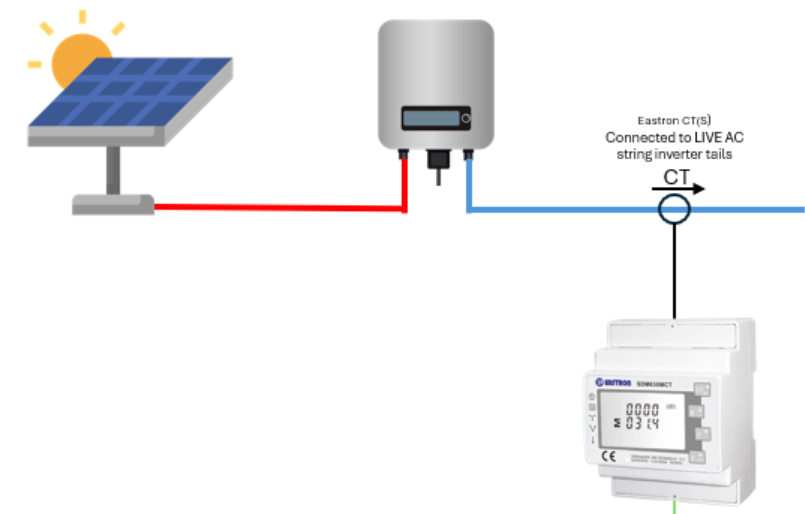
When using the Sunsynk hybrid inverter with an existing string inverter AC coupled on the grid side, it is possible to configure the system to monitor the string inverter PV data using an Eastron Meter. (This is for systems AC coupled on grid side ONLY, not systems where the string inverter is connected to the Sunsynk hybrid inverter GEN terminals).
System Schematic:
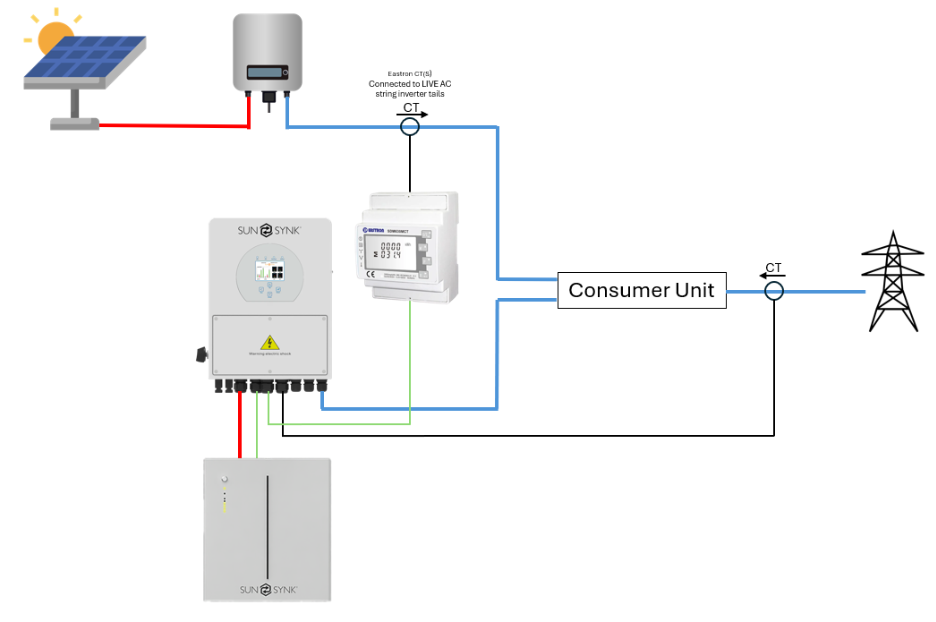
Please note that for this configuration, the Eastron SDM630MCT is recommended for both single-phase and three-phase applications as meter settings need to be changed which cannot be done on the SDM120CT without a PC connection.
It is also possible to set up a system using an additional Eastron Meter in place of the grid CT(s). A guide on how this works can be accessed here: Using 2 Eastron Meters on one System.
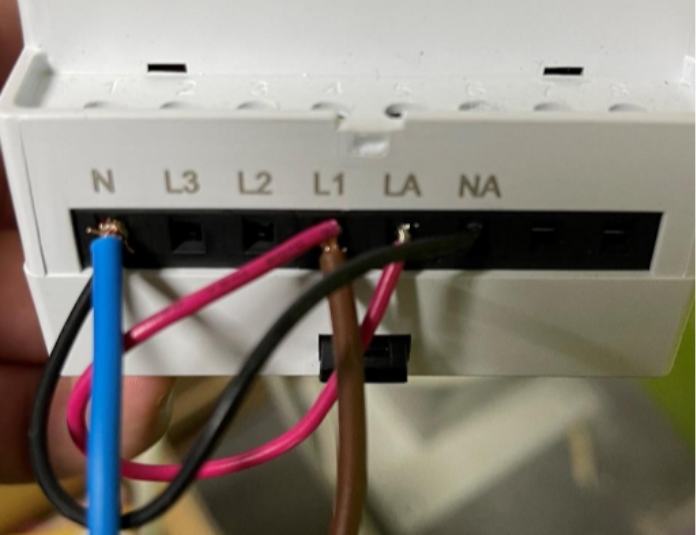
Step 1 – Power on the Eastron Meter
Single-Phase:
Three-Phase:
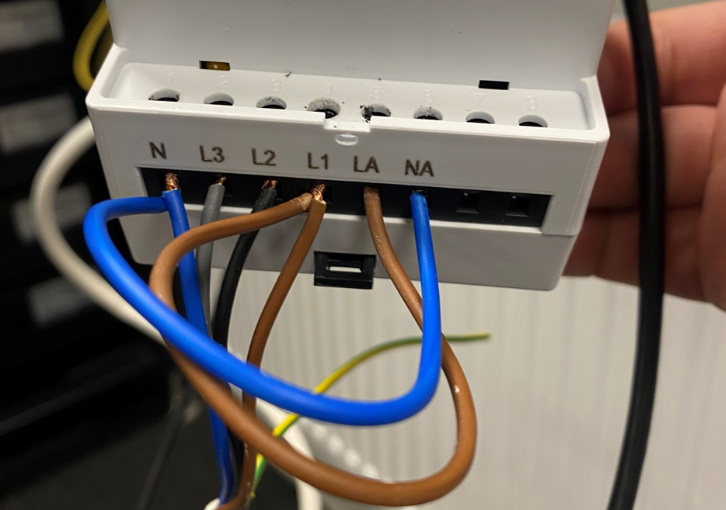
As per the diagrams, you’ll need to double up the Neutral to NA and also double up L1 to LA to power on the Eastron meter.
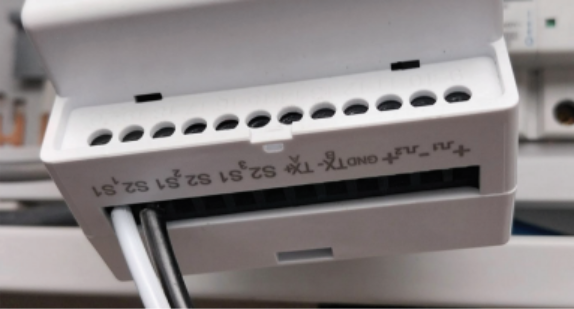
Step 2 – Connect CT Clamps
Single-Phase:
Three-Phase:
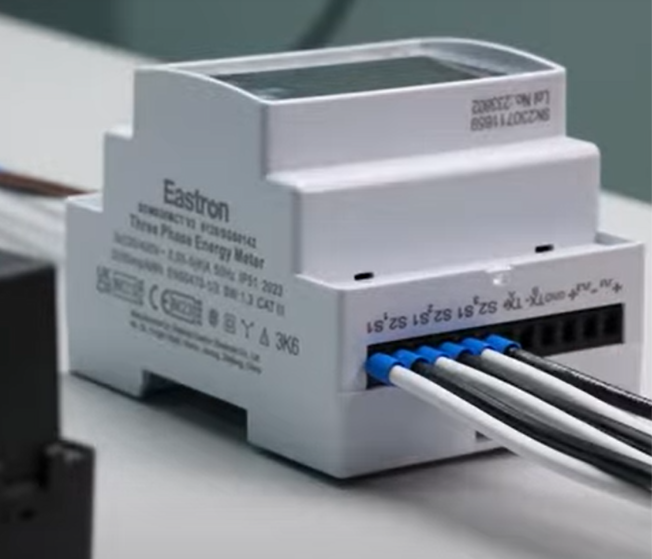
The CT’s must then be clamped on the live tails coming out of the string inverter, with the arrows pointing away from the string inverter towards the distribution board.
Step 3 – Connect RS485 Communication cable from Meter to Sunsynk Hybrid Inverter
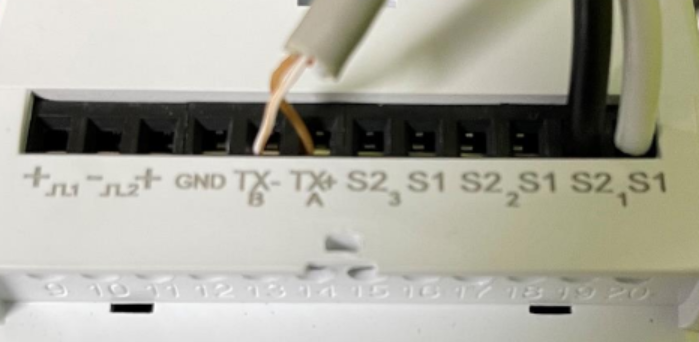
Using one end of the data cable CAT 5/CAT 6 – Choose which solid coloured cable (eg Brown) to connect into TX+A and choose its opposite Colour / White cable (eg Brown/White) and connect to TX-B.
Using the other end of the data cable CAT 5/CAT 6 – Create connections on Inverter side, please see pin out connections in the diagram below.
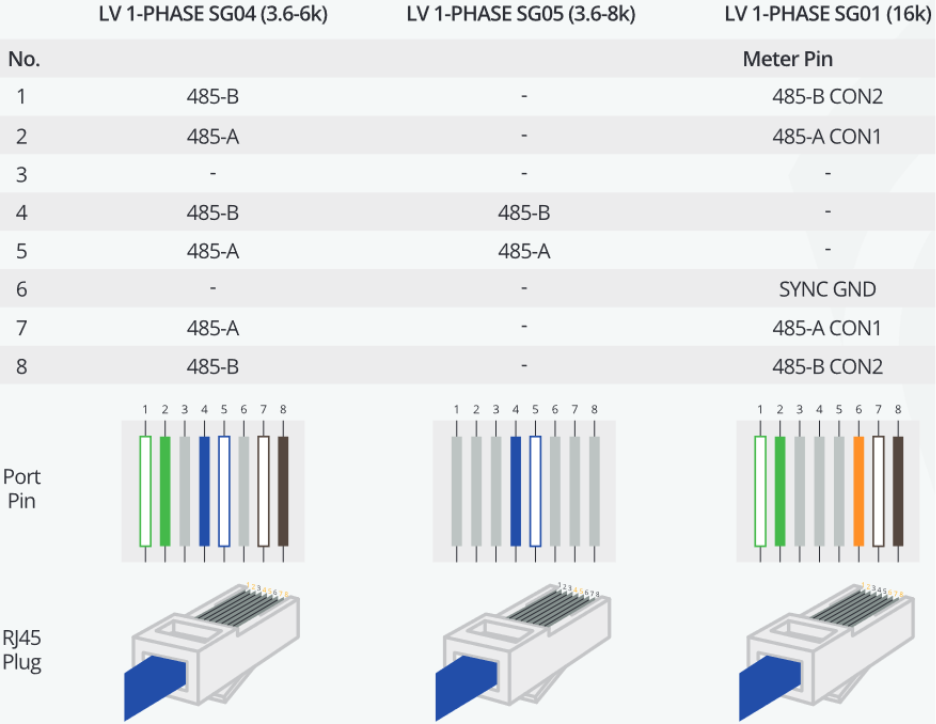
Please note that all inverter models are not represented in this table, and this may vary according to the inverter model. The pin out configuration for a specific inverter model can be found in the inverter manual.
Connect the RJ45 into the METER port or in the case the inverter does not have a port labelled ‘METER’ instead the port labelled ‘RS485’.
Step 4 – Set the Eastron Meter Settings
When setting up the unit, a password must be entered. Digits are set individually, from left to right. The procedure is as follows:
The current digit to be set flashes and is set using the
 and
and  buttons
Press
 to confirm each digit setting. The SET indicator appears after the last digit has been set.
After setting the last digit, press
 to exit the number setting routine. The SET indicator will be removed.
To enter set-up mode, pressing the
 button for 3 seconds, until the password screen appears. The password is 1000.
Please follow the settings below and change where needed to meet the same values as shown below.
The settings below are representative of the Eastron SDM630MCT and should be followed, taking special note of ‘SEt Addr’ which must be equal to 002 for the setting to operate.
If using a different CT to the provided 150/1A CT the settings for CT1 and CT2 will need to be changed. CT ratio settings can only be set once – if further changes are required, you will need to contact Eastron for an override password.
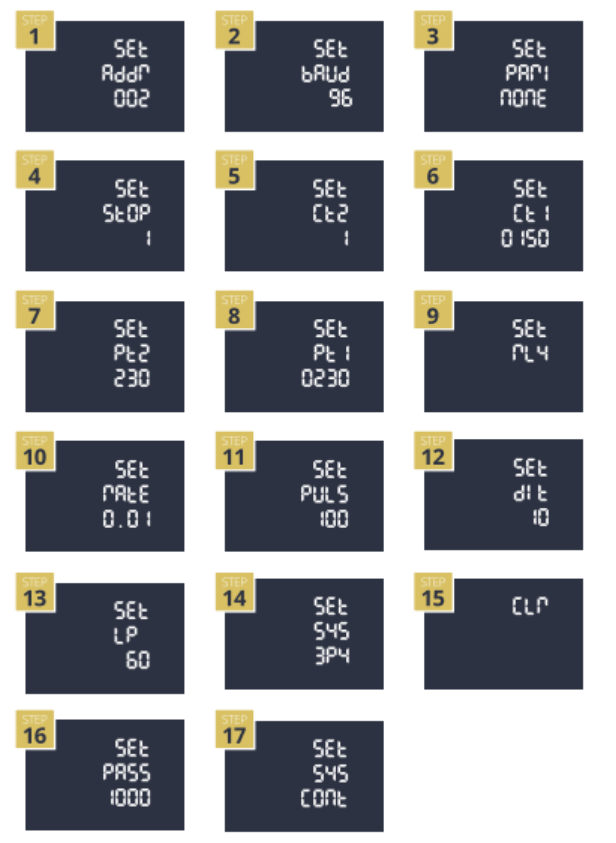
Step 5 – Set the Inverter Settings
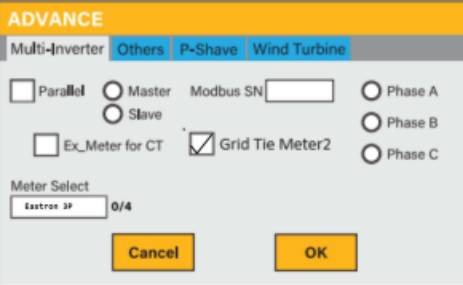
Enable GridTieMeter2 in the advanced settings page and select ‘Eastron 3P’ in the drop-down ‘Meter Select’ menu.
Settings -> Advance -> Multi-Inverter
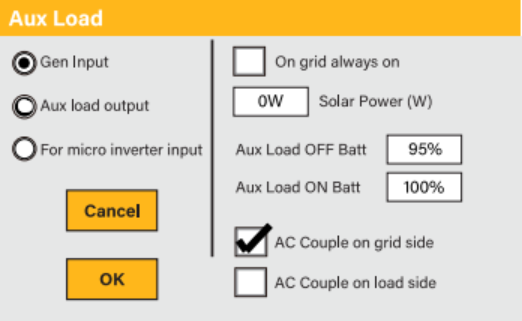
Enable ‘AC Couple on Grid Side’ in the auxiliary settings. (Note for AC Couple on Grid Side systems the MI/String Inverter settings menu should NOT be used).
Settings -> Auxiliary -> Gen Input
Step 6 – Connection Success or Fail
To check the meter is working on the home screen press the ‘AC Load’ Dial.
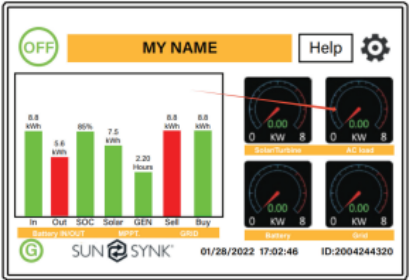
If the meter is communicating successfully, you should see the Grid Tie below.
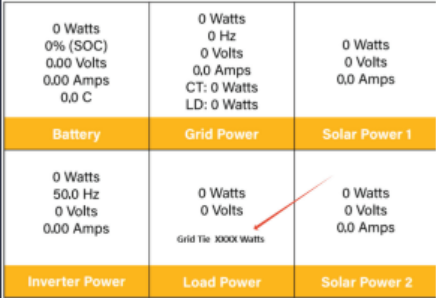
This value should match the sum of the power on each phase as displayed on the meter.
If the meter is not communicating successfully, you will receive a warning ‘W04 Meter_Comm_Fail’. Please follow the troubleshooting here: W04 Troubleshooting.
Was this article helpful?
That’s Great!
Thank you for your feedback
Sorry! We couldn't be helpful
Thank you for your feedback
Feedback sent
We appreciate your effort and will try to fix the article