Prior to reading this document, please familiarise yourself with the following document Eastron Meters: CT selection and settings to ensure that you have the correct meter. Please note this guidance is focused on the SDM120CT series of meters, for the passthrough SDM230 series meter please refer to: Single-Phase Eastron Meter with Single-Phase Inverter (SDM230).
PLEASE NOTE THAT THIS EASTRON METER IS NOT COMPATIBLE WITH A THREE-PHASE INVERTER
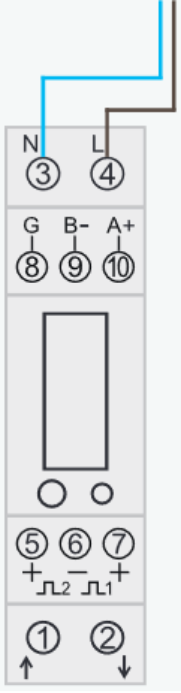
Step 1: Wire Live into port 4 and Neutral into port 3.
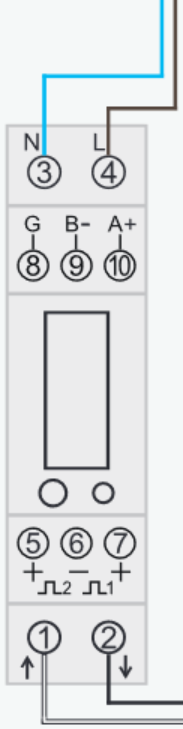
Step 2: Connect the CT coil, wiring black into port 2 and white into port 1.
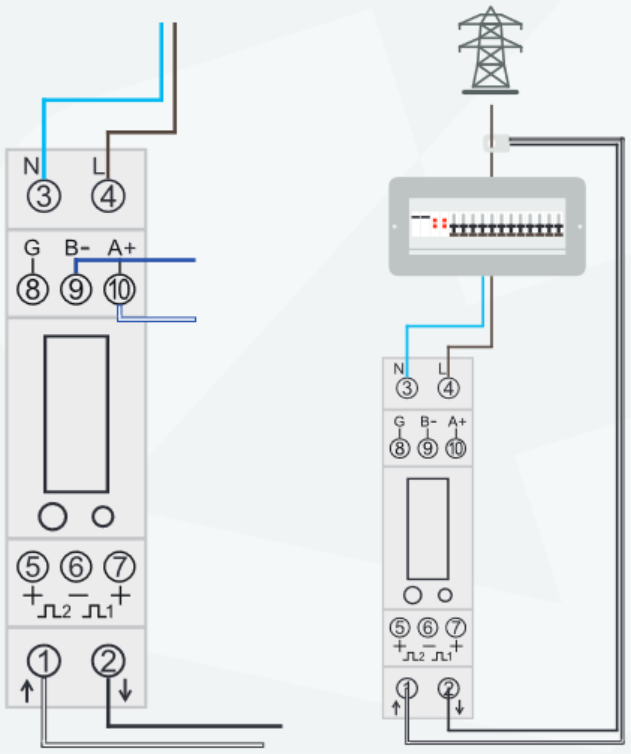
Step 3: Using a CAT-5 or CAT-6, use solid blue and blue/white and move the others away. Connect solid blue to RS485-B (port 9) and blue/white to RS485-A (port 10).
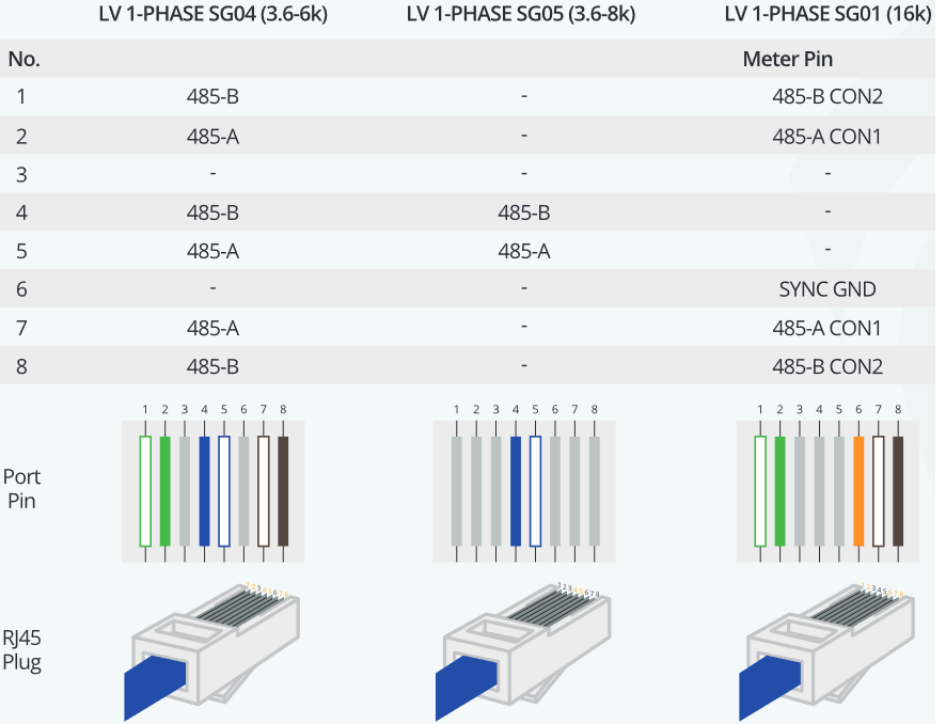
Step 4: On the other side of the CAT-5 or CAT-6, use a RJ45 connector and connect solid blue into pin 4 and blue/white into pin 5 (depending on inverter model – please see below table)
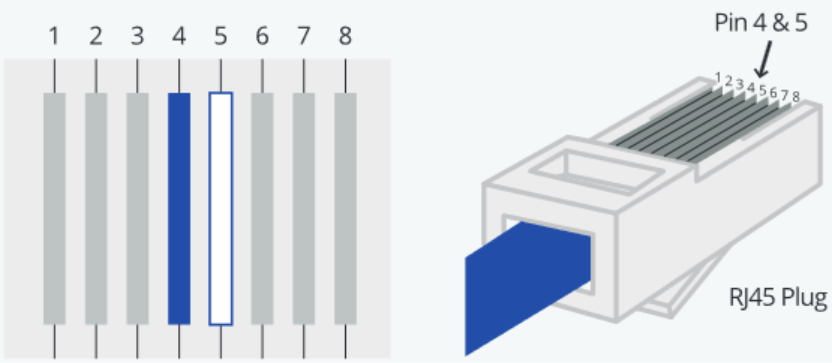
Please refer to the illustration below, which shows the pin-out configuration for your reference. Please note that this may vary according to the inverter model.
Note: if using the 10kw 12kw or 16kw you need to use pins 1and 2 in the Rj485 Plug.
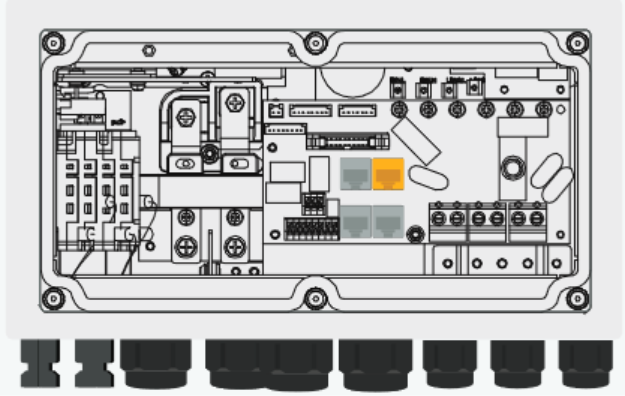
Step 5: Connect the RJ45 into the METER port or RS485 in case your inverter does not have this port.
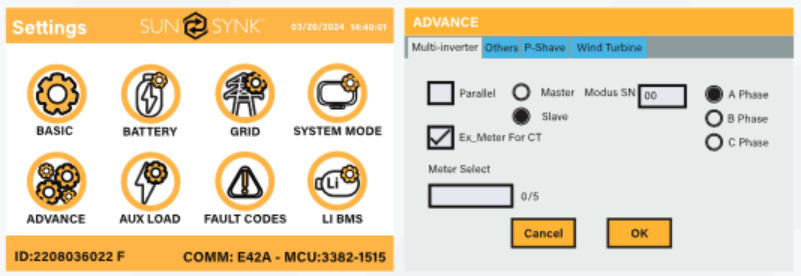
Step 6: Go to "Advanced Settings" on the inverter screen and enable "External Meter for CT", after that select Eastron-1P on the "Meter Select" field.
Step 7: If communication is successful, you will now see an AC Load on the inverter. If the connection fails, you will receive a warning ‘W04_Meter_Comm_Fail’. Please refer to (W04 troubleshooting documentation) if the W04 alarm persists.
Was this article helpful?
That’s Great!
Thank you for your feedback
Sorry! We couldn't be helpful
Thank you for your feedback
Feedback sent
We appreciate your effort and will try to fix the article