After following the manual of setting up the battery and inverter. Ensure that the positive and negative power cable from the BMU is connected to the Battery terminals of the inverter, and that the BMS Communication cable is connected from the PCOM located at the back of the BMU to the BMS 1 inside the Inverter.
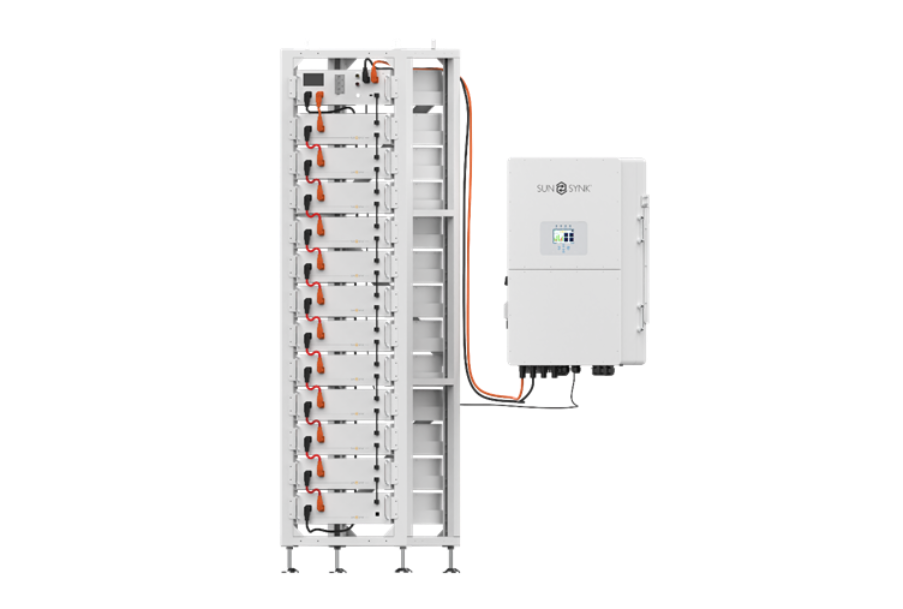
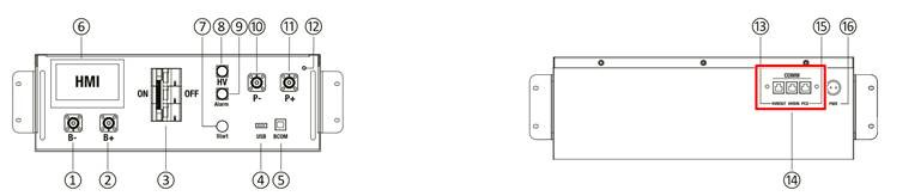
Switch the Circuit breaker on and press the start button.
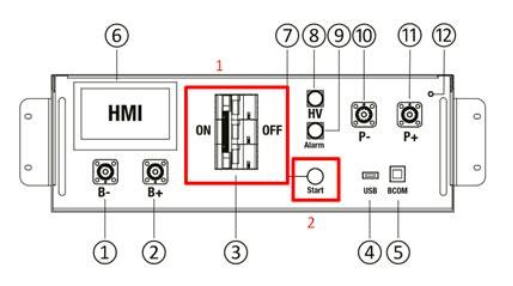
Now that the BMU is turned on, check the BMU number on LCD, this number should match the number of batteries you have connected.
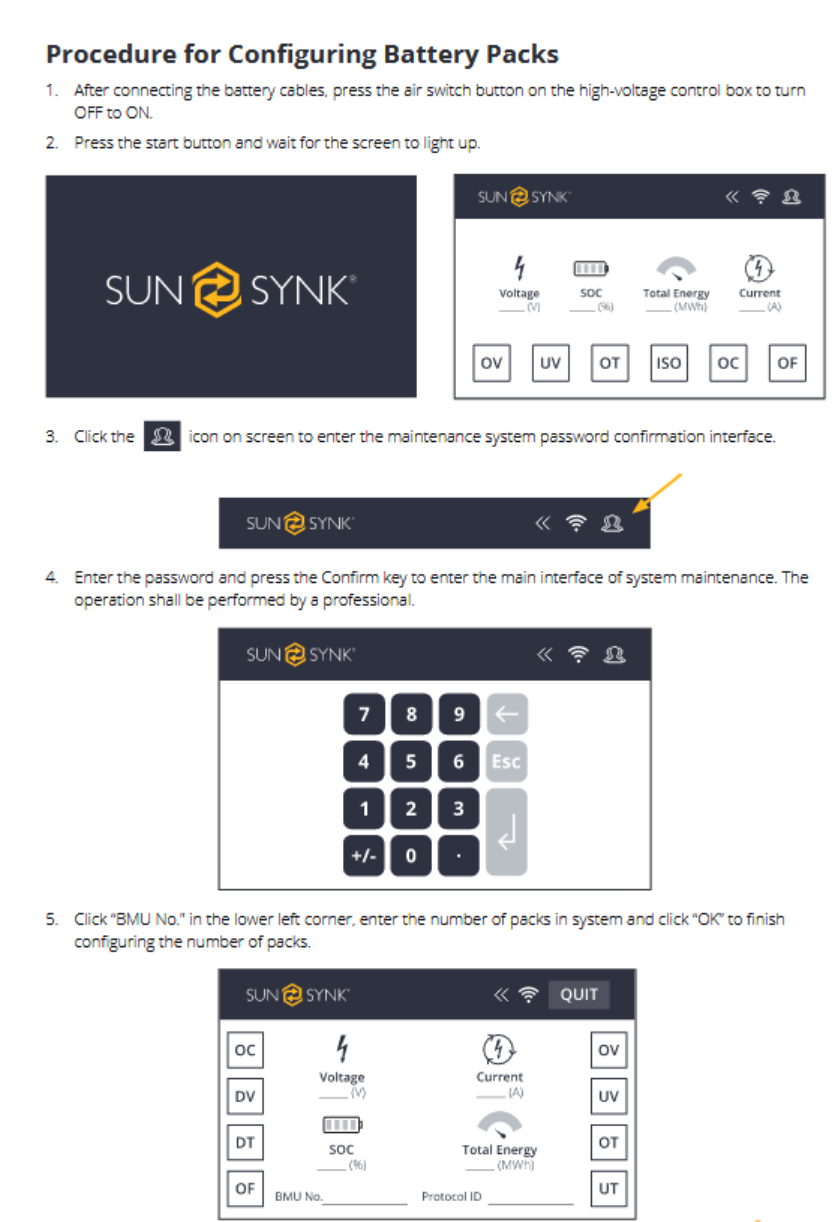
Please note the BMU password is 123
- Once step 3 is completed, turn the battery BMU off with the start button and the circuit breaker. Wait 2 minutes
- Start the BMU back up in the same order as step 2.
- Press the ON/OFF button on the side of the inverter.
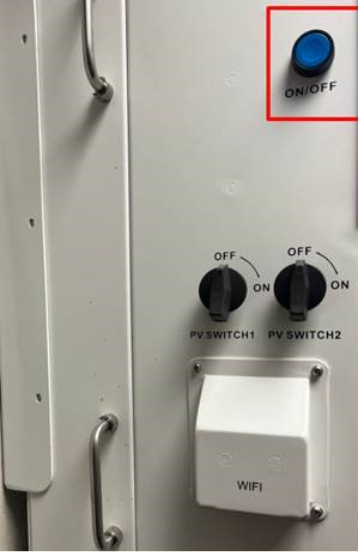
The inverter LCD should power up.
- If the inverter LCD does not power up, please check that the BMS cable is connected into the correct ports, and the pin out of the RJ45 is correct (patch cable straight through)
- Once step 7 has been checked ensure that the BMU number of the batteries is correct to the number of batteries you have installed.
- If all is correct shut the system down and start up in the same procedure.
- If this does not work after the 2nd restart check the fault codes on the BMU.
Was this article helpful?
That’s Great!
Thank you for your feedback
Sorry! We couldn't be helpful
Thank you for your feedback
Feedback sent
We appreciate your effort and will try to fix the article