Introduction:
Serial number is a unique number to identify a product. A serial number allows a company to identify a product and get additional information about it for replacement or to investigate it. For our inverters we may require a serial number to investigate the plant and observe the behaviour of the plant, it is also required in the case of warranty claims.
Ways of identification:
Following are the ways to find an inverter’s serial number,
Side of inverter
On the inverter LCD
On the mobile application
On the web
Side of inverter:
A label is pasted on the right side of the inverter with a serial number on it. Following is the image attached for reference.
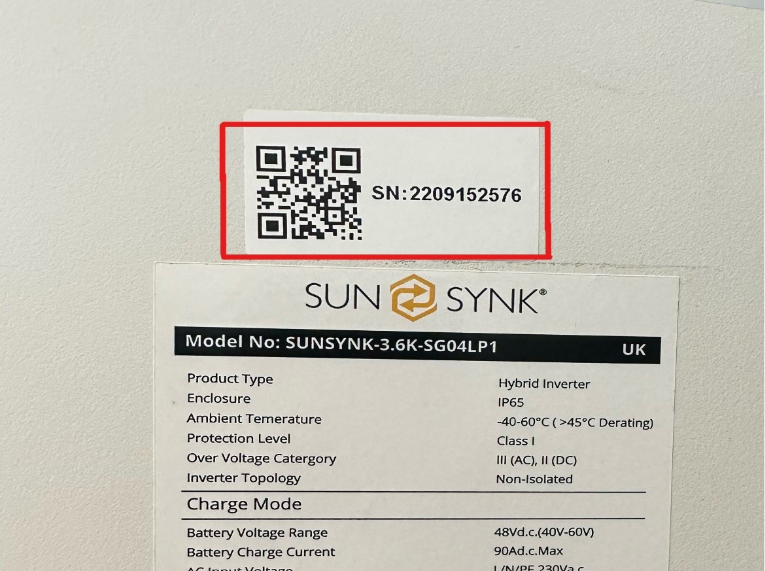
Figure 1: Serial Number on the side of inverter
On the inverter LCD:
Inverter serial number can also be identified from the inverter LCD, on the right bottom of the LCD screen inverter serial number can be seen. Following is the image attached for the reference.
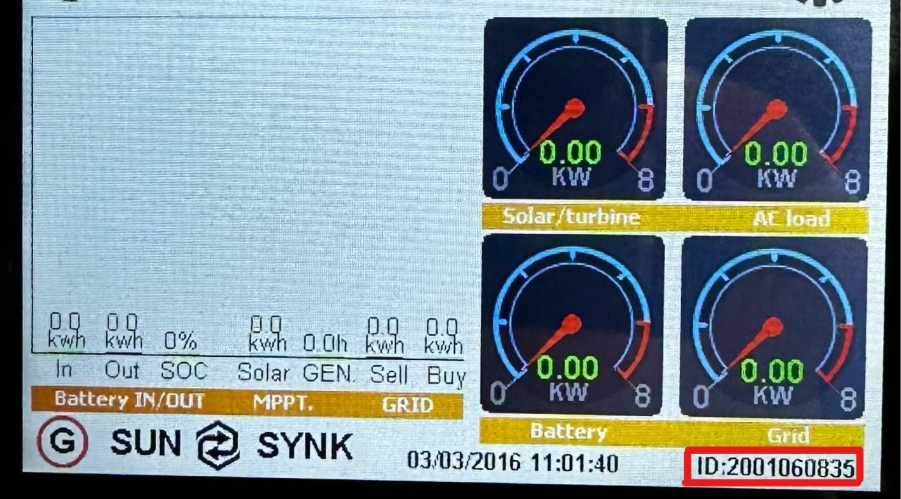
Figure 2: Serial Number on the inverter LCD
On the mobile application:
Another way of finding the inverter serial number is through the Sunksynk Connect mobile application, user need to search the plant through the plant name or by data logger’s serial number and go to the equipment section, user can find inverter serial number there. Following is the image attached for the reference.
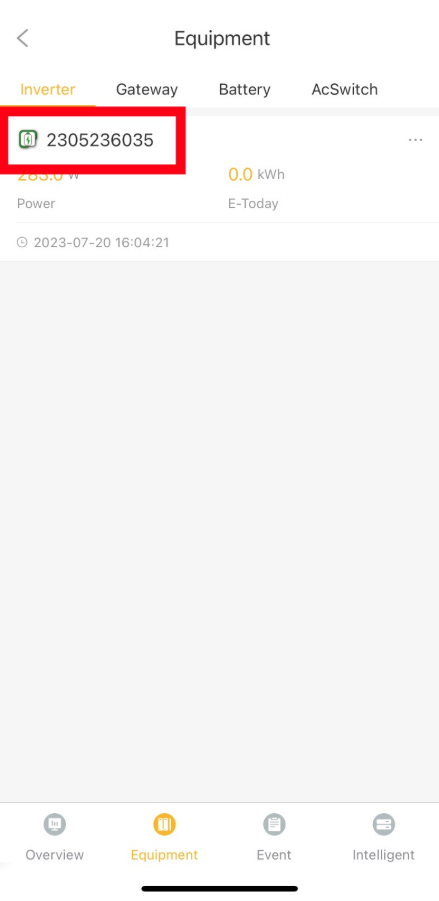
Figure 3: Serial Number on the mobile application
On the web:
Users need to search the plant either by plant name or by datalogger’s serial number and go to the equipment section, there they can find the inverter serial number. Following is the image attached for the reference.
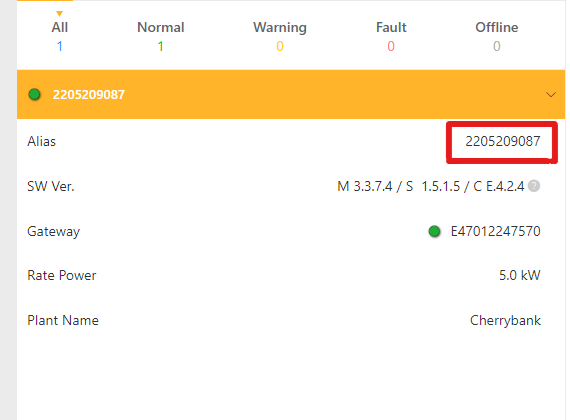
Figure 4: Serial number on the web
Was this article helpful?
That’s Great!
Thank you for your feedback
Sorry! We couldn't be helpful
Thank you for your feedback
Feedback sent
We appreciate your effort and will try to fix the article