OPERATION DATA
The Operation Data feature allows you to search for and download information about the inverters you’ve installed.
You can obtain this data in Excel format and generate a comprehensive plant performance report. These options are
valuable for installers and customers seeking insights into the inverter’s performance or the overall installation.
To begin using this feature, ensure you have Installer User Level Access, which can be requested on our Sunsynk.org
website. Please complete this prerequisite before proceeding with the rest of this manual.
How to Use the Operation Data Feature:
Click on the Operation Data section on Sunsynk.net
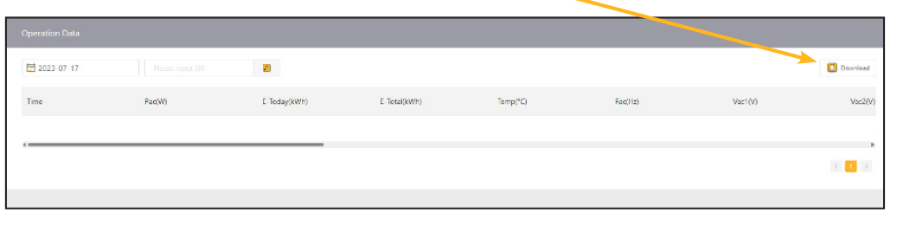
Operation Data: In this tab you will be able to view the raw data from your inverter. You can select any day since
the date of install and see exactly what readings you are getting at every single minute. To do this, you need to put
in your inverter serial number at the top left of the screen and then select a date in the box to the left of where you
input the serial number. You can even pull this data directly into an excel file by clicking the download button at the
top right of the screen.
Was this article helpful?
That’s Great!
Thank you for your feedback
Sorry! We couldn't be helpful
Thank you for your feedback
Feedback sent
We appreciate your effort and will try to fix the article