To change the time on your inverter on the inverter display.
Please follow the steps below:
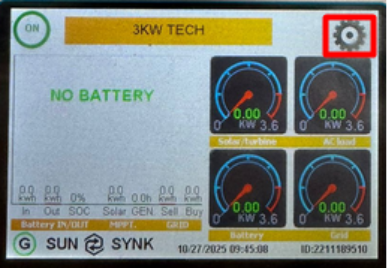
Go to the settings wheel on the inverter screen.
Select “Basic Settings.” 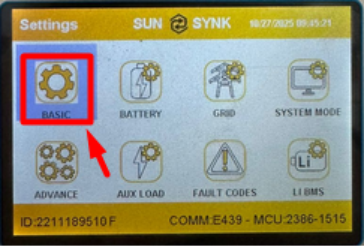
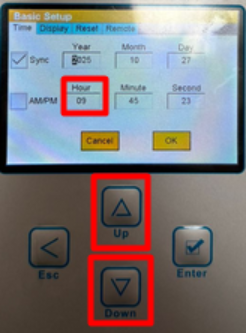
Tap on the time field, then use the “UP” and “DOWN” buttons to adjust the time.
Make sure the changes are saved before exiting the menu.
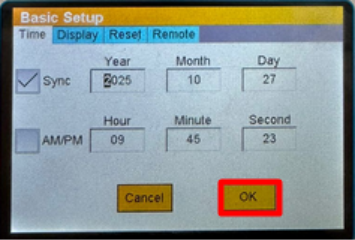
If you have the sync button enabled and the inverter is connected to the internet via Sunsynk Connect, the time will automatically sync to your set time zone.
Was this article helpful?
That’s Great!
Thank you for your feedback
Sorry! We couldn't be helpful
Thank you for your feedback
Feedback sent
We appreciate your effort and will try to fix the article