This article provides an overview of the generator settings available. Before configuring these settings, please make sure your generator is connected in accordance with the Generator Connections article.
Generator Connected to GEN or GRID Connection
If your generator is connected to the GRID connection of the inverter, the 'Gen connect to grid’ setting MUST be enabled.
Settings -> Aux Load -> Gen Input -> Gen connect to grid
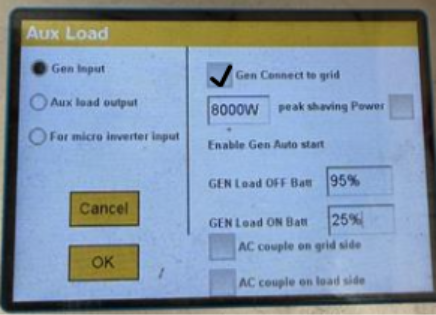
If the generator is connected to the GEN connection of the inverter this setting should NOT be enabled.
Generator Charge Conditions
For the inverter to accept power from the generator all the below conditions must be met.
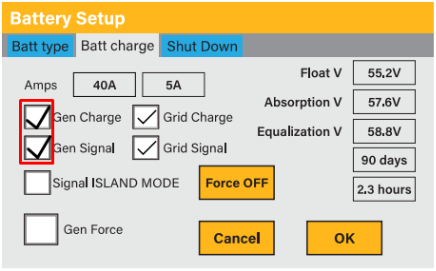
The ‘Gen Charge’ and ‘Gen Signal’ must be enabled in the battery settings.
Battery -> Batt Charge -> Gen Charge & Gen Signal
The battery SOC% must be lower than the ‘GEN Load ON Batt’%
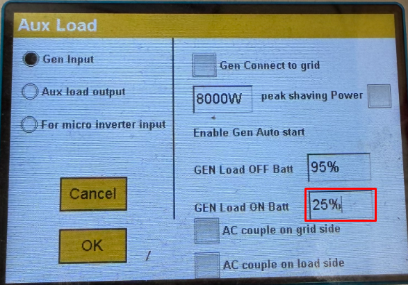
(In the above example the generator will only charge the batteries if the battery SOC% < 25%)
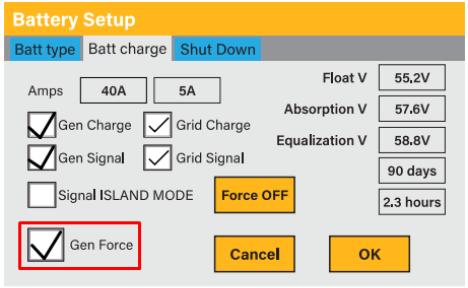
**Enabling ‘Gen Force’ in the battery settings will override the SOC conditions.
Understanding the System Timers Effect on the Generator
With the system timer disabled:
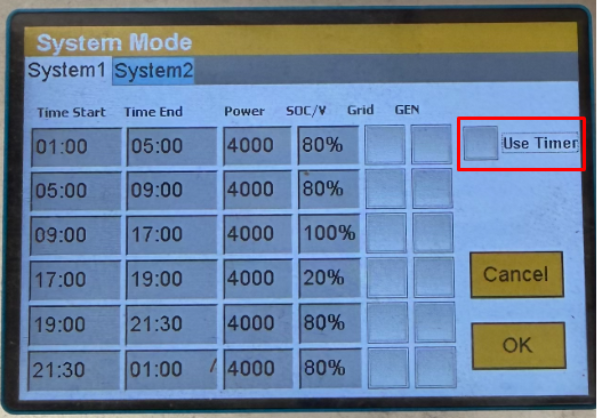
With the system timer disabled the generator auto-start will trigger when the battery SOC% < Gen Load ON Batt and the batteries will charge until the SOC% = GEN Load OFF Batt
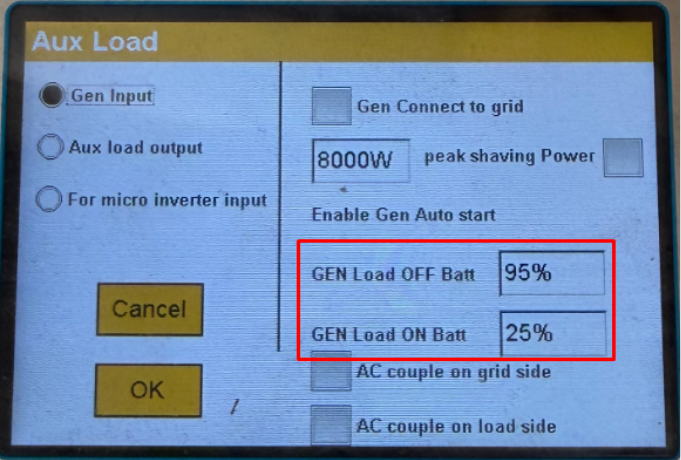
(In the example above the generator auto-start will always trigger when the battery SOC% < 25% and the batteries will charge until SOC% = 95%)
With the system timer enabled:
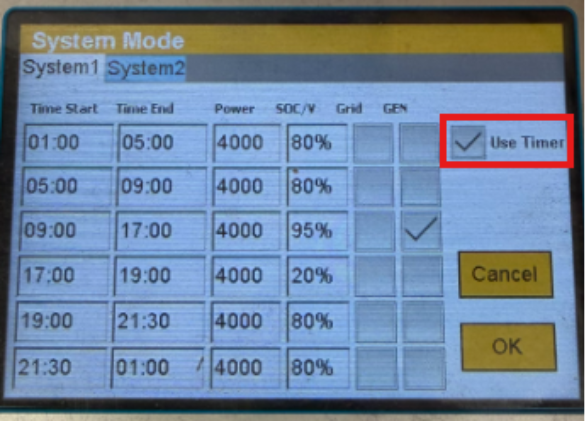
With the system timer enabled the generator auto-start will trigger when the battery SOC% < Gen Load ON Batt and the batteries will charge until the timer target SOC%, only in the time periods when GEN charge is ticked. (Please note the highest SOC that can be obtained from generator charging is fixed at 95%).
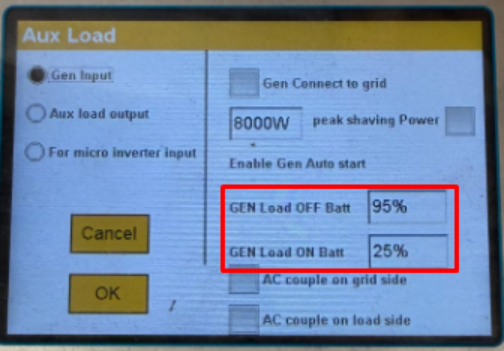
(In the example above the generator auto-start will trigger only if the battery SOC% < 25% and it is between 09:00 and 17:00 and the battery will charge until SOC% = 95%)
Other Generator Settings
Generator Peak Shaving Power:
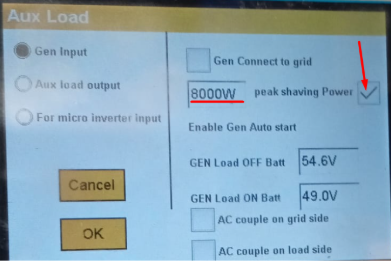
Generator peak shaving power tells the inverter how much power can be pulled from the generator. This setting should be used if the generator power rating is smaller than that of the inverter to prevent overloading the generator.
Voltage and Frequency Parameters:
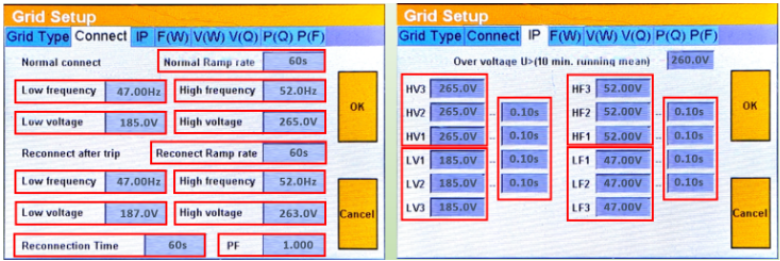
If the generator voltage/frequency falls outside of the default range of the inverter the upper and lower limits for voltage and frequency can be adjusted in the grid settings. (Please note if you are using the system also on grid also these settings must NOT be changed).
Gen Max Run Time/ Gen Max Down Time:
GEN MAX RUN TIME tells the inverter how long the generator can continually pull power. If the max run time is exceeded the inverter will shut-down the generator.
GEN DOWN TIME tells the inverter how long it must be since the generator was last running before it can run again.
Was this article helpful?
That’s Great!
Thank you for your feedback
Sorry! We couldn't be helpful
Thank you for your feedback
Feedback sent
We appreciate your effort and will try to fix the article