To factory reset your inverter via Sunsynk Connect, follow the below steps.
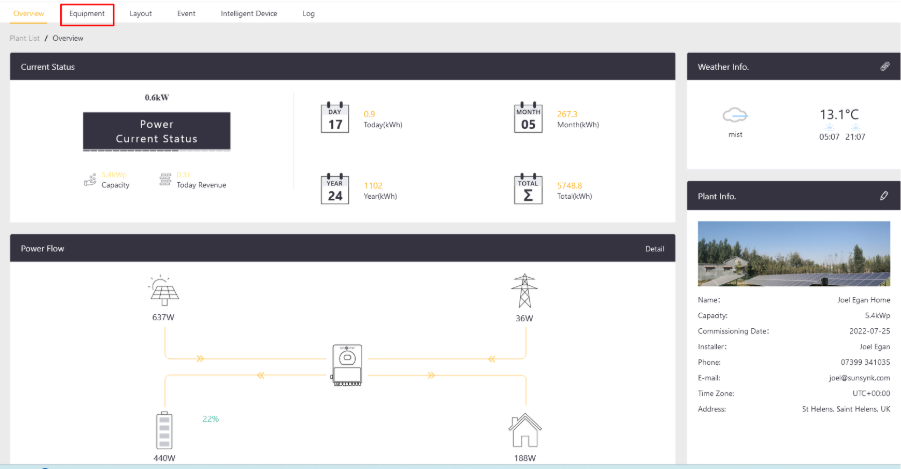
Step 1 - Go to your plant and select Equipment.
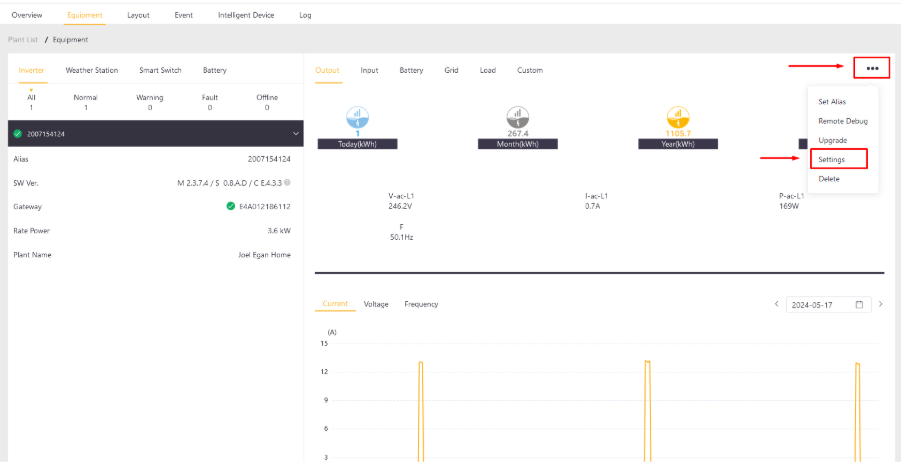
Step 2 - Select More (...) and then Settings.
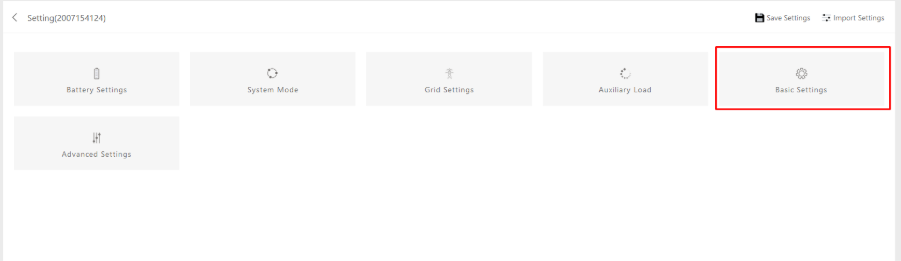
Step 3 - Select Basic Settings.
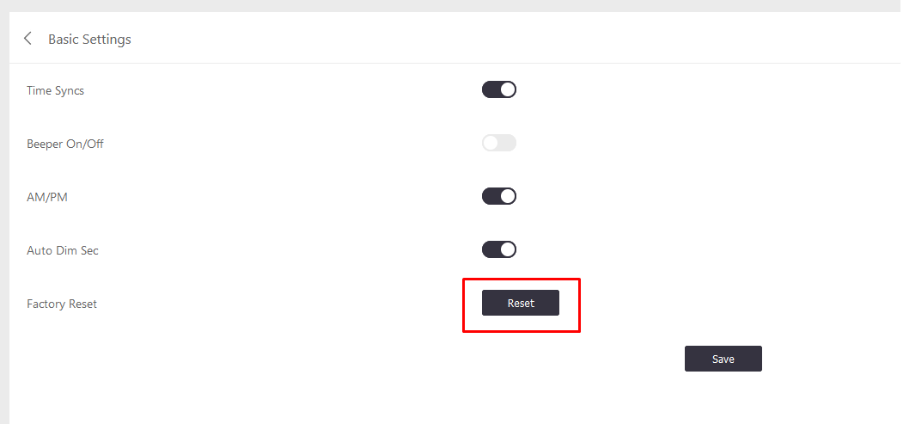
Step 4 - Click Reset and Confirm.
Was this article helpful?
That’s Great!
Thank you for your feedback
Sorry! We couldn't be helpful
Thank you for your feedback
Feedback sent
We appreciate your effort and will try to fix the article